What is the problem
You’ll be given an input 2D image and a 2D filter and be asked to show the resulting image after passing the filter over the 2D image (computing the convolution between the two).
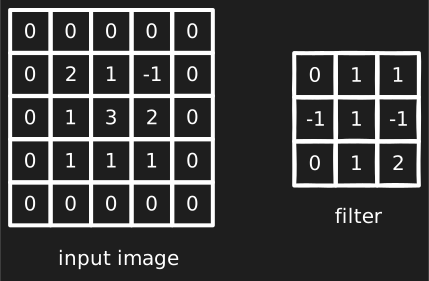
Before you begin
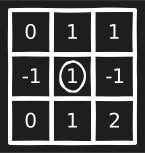
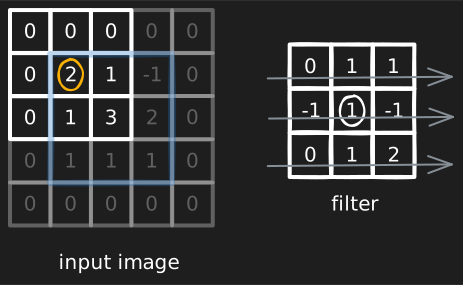
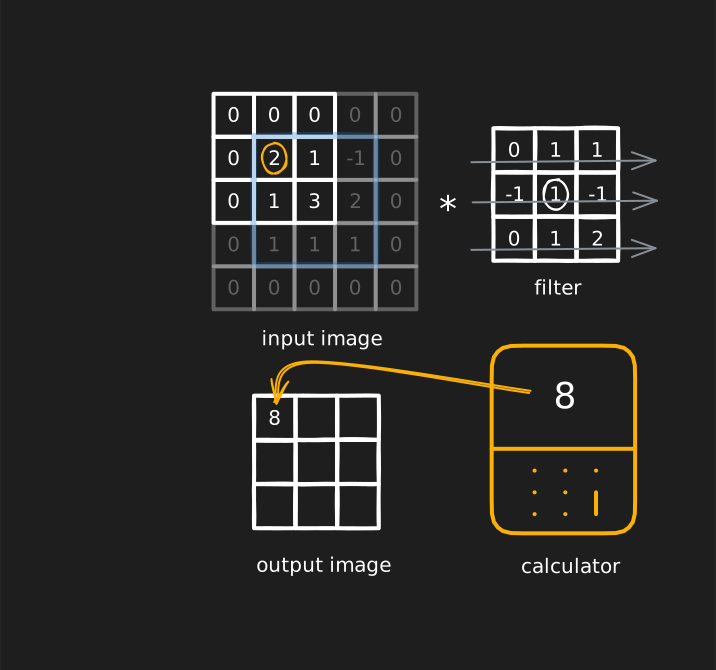
- highlight the center pixel within the filter to anchor your eye.
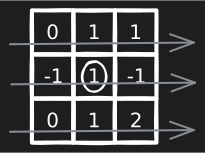
- we’ll compute the convolution row by row, i find it helpful to highlight this flow by faintly drawing an arrow over every row.
- while multiplying an input pixel by a kernel one, internalize the following,
- if the kernel pixel is 0, just skip the product.
- if the kernel pixel is 1, just copy the input pixel.
- if it was -1, just invert the sign of the input pixel.
aka, don’t perform redundant calculations on the calculator.
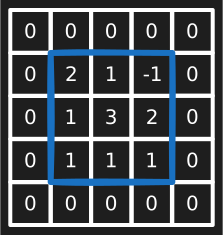
- you’ll compute the convolution for a set amount of center pixels, shade around them a bit to internalize this.
Strategy
- highlight the center pixel you’re currently computing for by a circle (to anchor it with the center of the kernel, also highlighted by a circle).
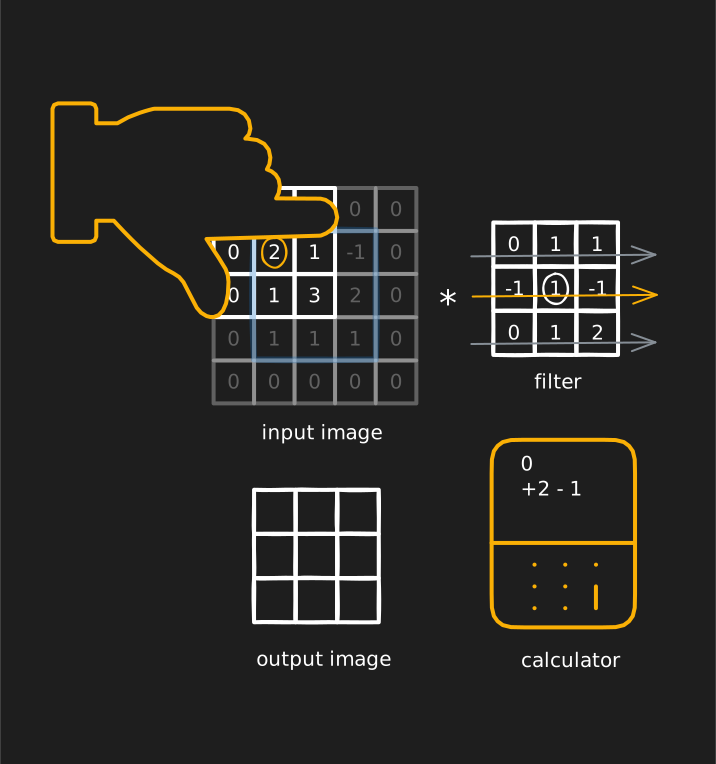
- place your finger right above the row you’re currently computing, with its tip stretching to the end of the window, and input its products into the calculator.
(this is the 1st row’s)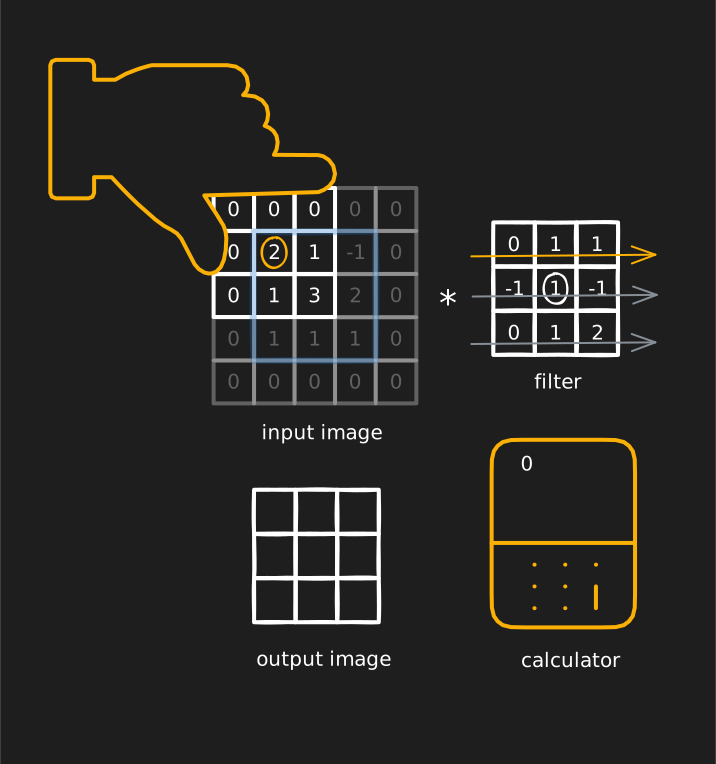
(this is the 2nd row’s)
 (this is the 3rd row’s)
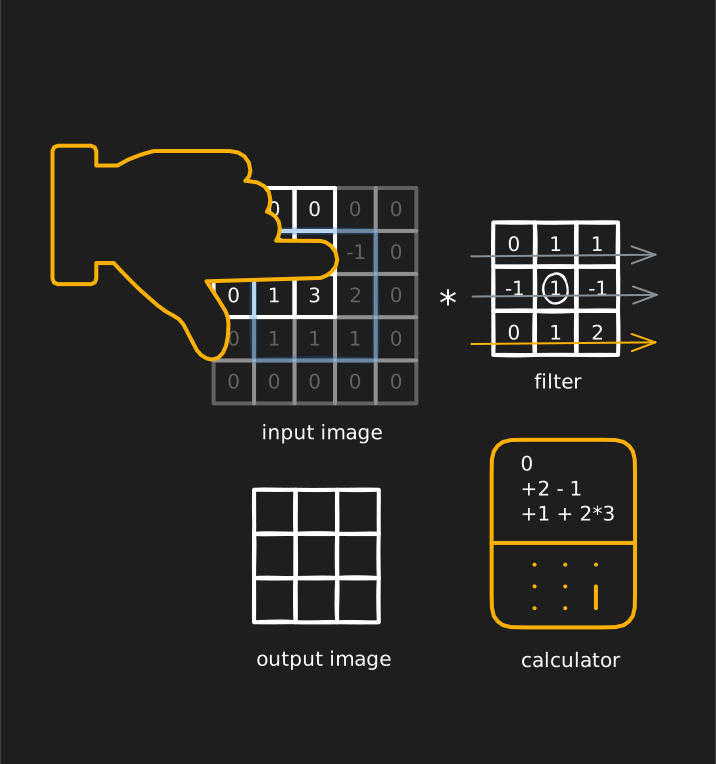
- when you’re done with the final row, evaluate the result on the calculator and place it in the output image.
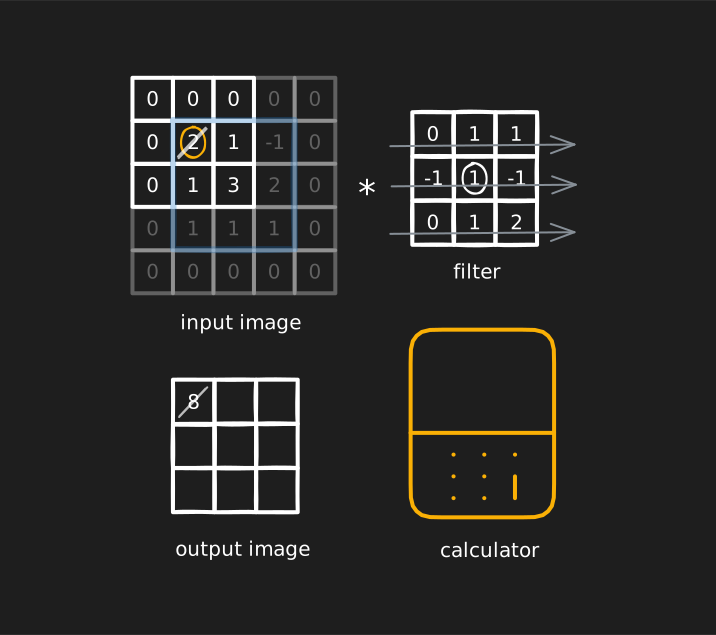
- faintly cross out the center pixel u just finished, in both the input and output image, and repeat for the rest of the center pixels.
Example
The following animation shows how the rest of the center pixel values are computed.